GroovyMorning_RLAC
GroovyMorning
GroovyMorningFM is a radio app that allows users to customize their chosen station’s schedule by swapping out specific segments (whether live or on-demand for others).
For instance, a user can replace a segment airing at 7:50 AM with any other segment, regardless of whether it originates from the same station.
Segment start times are identified by the RLAC (Radio Live à la Carte) system, which employs artificial intelligence to accurately detect the beginning and end of programs, thereby accounting for the unpredictability of live broadcasting.
It consists of a Java backend for recording, a Python service for AI-powered segmentation (using DeepSeek or jingle detection), and mobile applications (Android/iOS) for a seamless user experience.
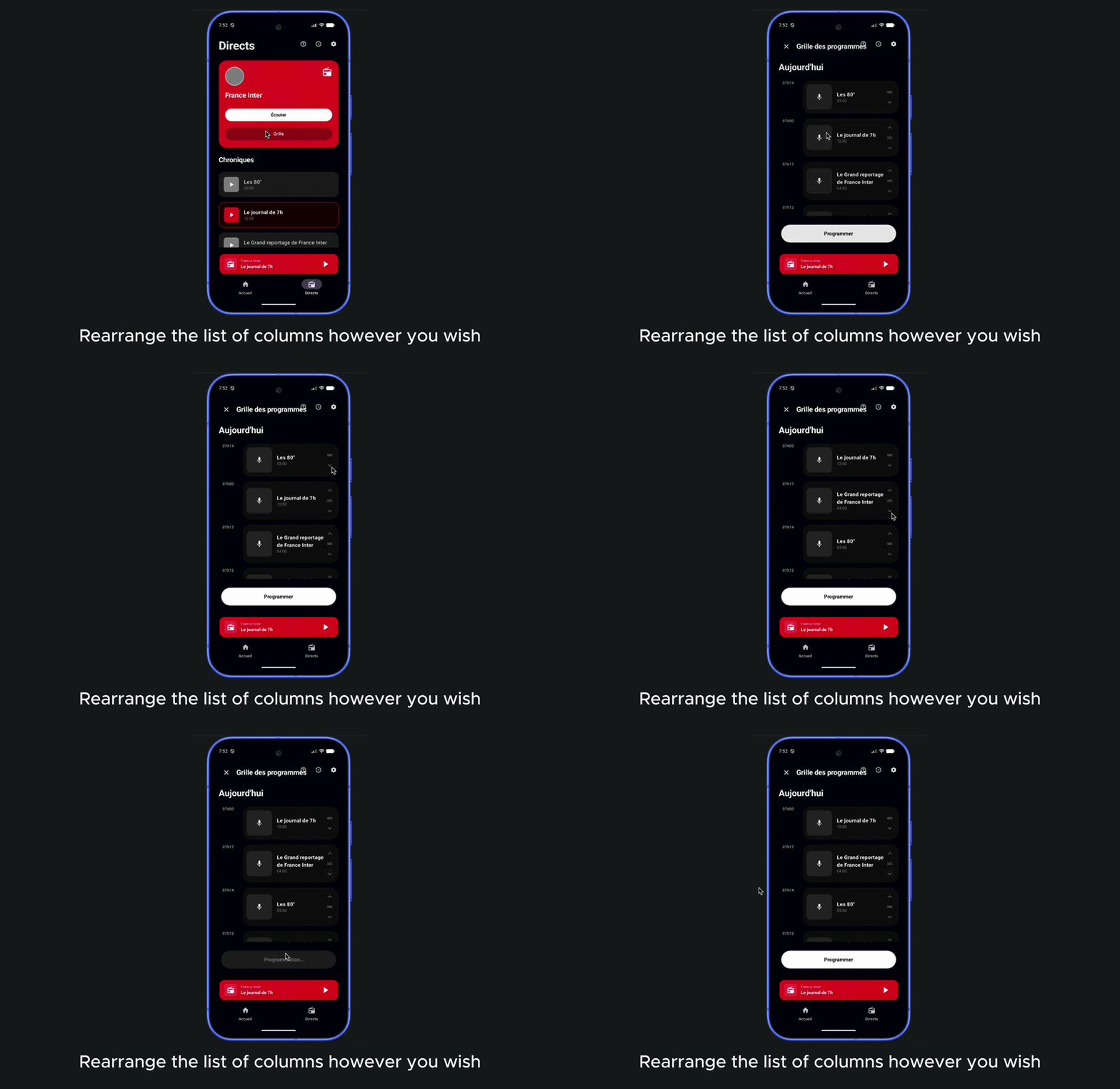
Key Features
- Intelligent Scheduling: Schedule your favorite radio chronicles based on the official program grid.
- AI-Powered Segmentation: Automatic detection of chronicle starts and ends using jingle recognition or DeepSeek LLM analysis of transcriptions.
- HLS Recording: High-quality audio recording using FFmpeg, segmented for smooth streaming and seeking.
- Multi-Platform Support: Android and iOS (demo) applications for remote control and playback.
- Privacy-First: Your recordings and planning stay on your local machine.
R&D
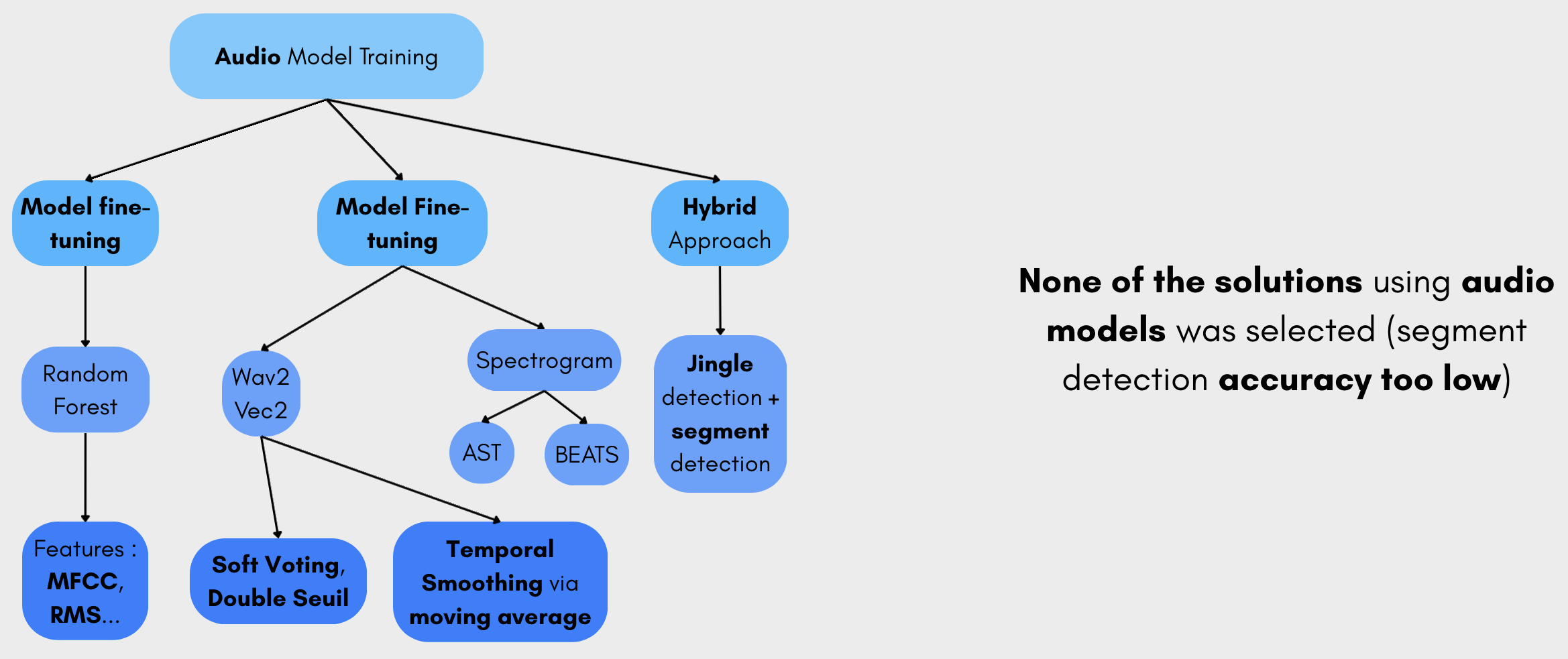
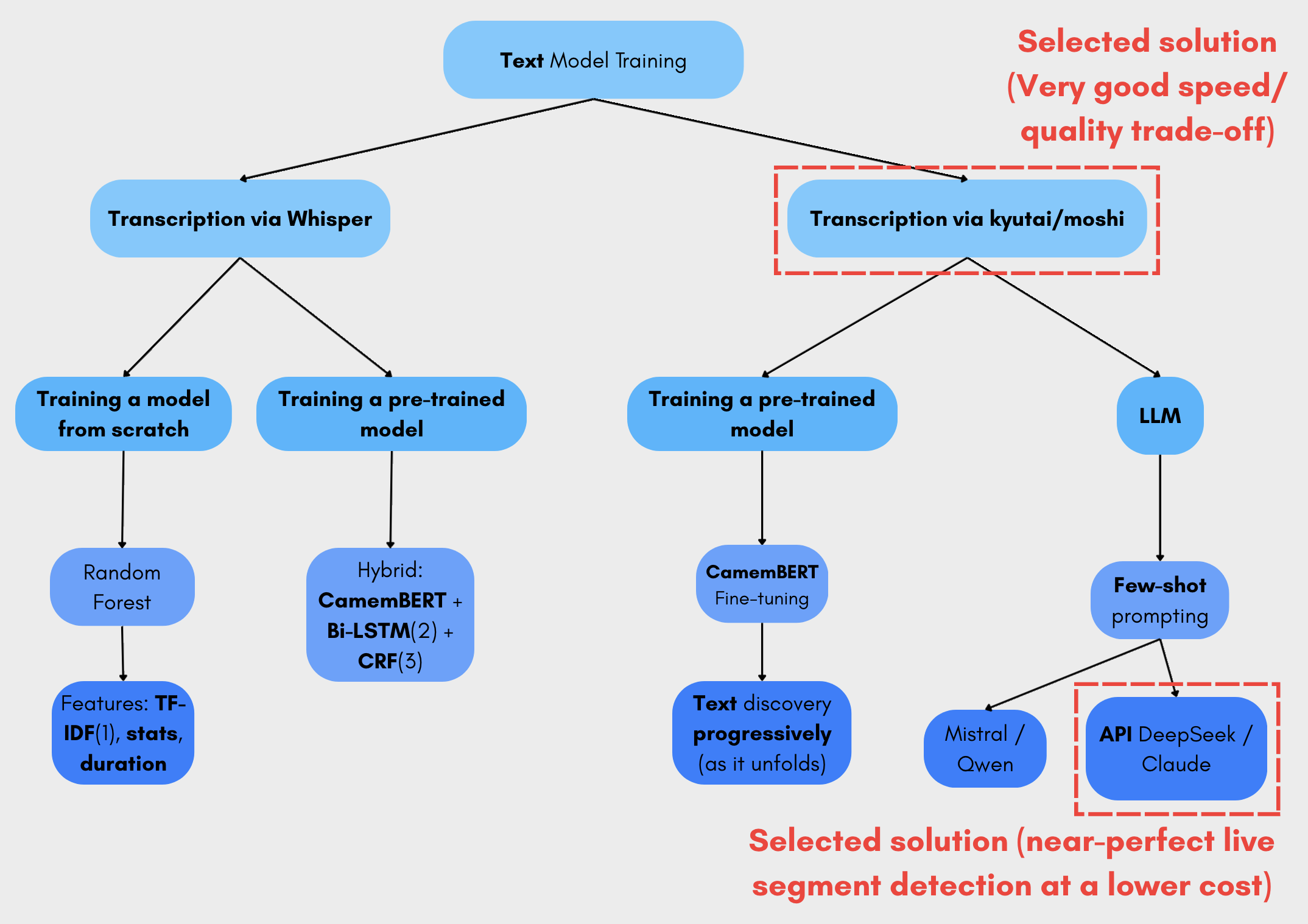
Research and development phase to find the best solution for detecting segments within the live stream with IA.
Architecture
The project is divided into several modules:
- Backend Java (1.RLAC-AudioRecorder): Manages recording jobs (Quartz), interacts with FFmpeg, and provides the REST API for mobile apps.
- AI Segmenter (2.RLAC-IAChronicleSegmenter): Analyzes the live stream, performs Speech-To-Text (Kyutai or Whisper), and uses AI (DeepSeek) to detect segments.
-
Android App (5.GMFM_Android_App): A modern Jetpack Compose application to manage your chronicles and listen to them.
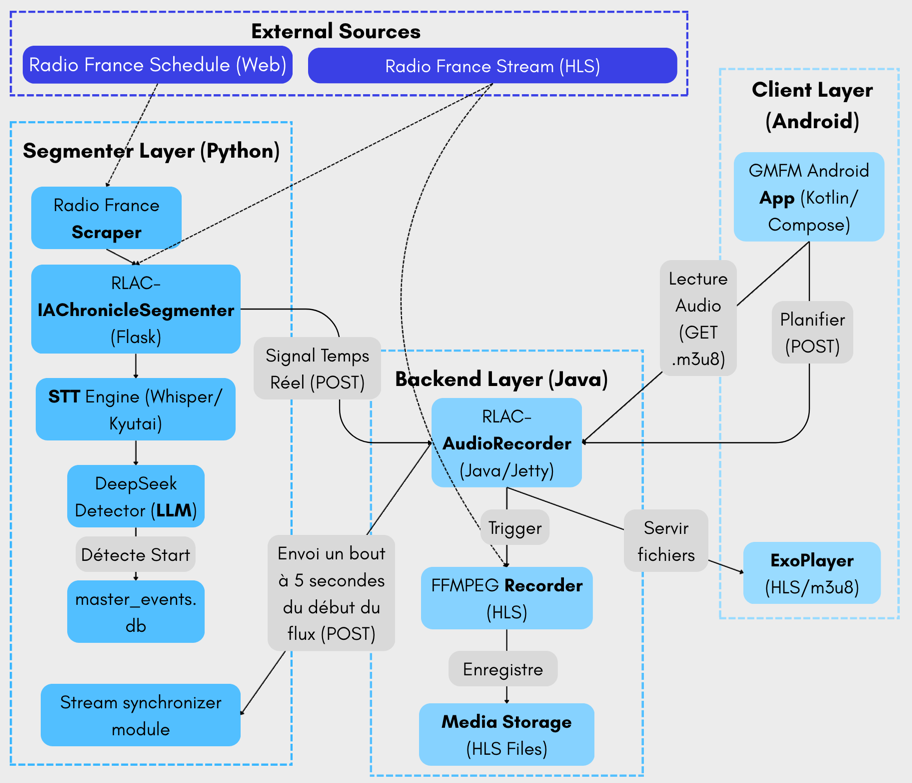
- iOS App Demo (0.GMFM_RadioFrance_Demo): A SwiftUI prototype demonstrating the iOS experience.
Quick Start with Docker
The easiest way to run the entire system is using Docker Compose.
Prerequisites
- Docker and Docker Compose installed.
Setup
- Clone the repository:
git clone https://github.com/eglantinefonrose/GroovyMorning_RLAC.git cd GroovyMorning - Configure environment variables:
cp .env.example .envEdit
.envand add yourDEEPSEEK_API_KEY. - Launch the services:
docker compose up
This will start:
- The Java Backend on port
8000. - The Python Segmenter on port
8001.
If you want to test simulation mode and see the live splitting on a simulated radio stream as if it were live, use
docker compose --profile simu up
Mobile App Connection
- Ensure your phone is on the same Wi-Fi as your server.
- Open the GroovyMorning app.
- Go to Settings (gear icon).
- Enter your server’s local IP (e.g.,
http://192.168.1.15:8000) (if you are on an Android phone emulator, usehttp://10.0.2.2:8000) - The app will automatically sync with your personal server.
Testing
We have a complete end-to-end (E2E) testing pipeline to validate the workflow.
docker compose -f docker-compose.e2e.yml up --build --abort-on-container-exit
See TESTING.md for more details.
Documentation
To view the project in greater detail, take a look at the series of articles at this link (french version)
License
This project is licensed under the MIT License - see the LICENSE file for details.
🤝 Contributing
Contributions are welcome! Feel free to open issues or submit pull requests.